Step by Step
The Scan Process
Follow these steps to scan any APK file for security threats
01
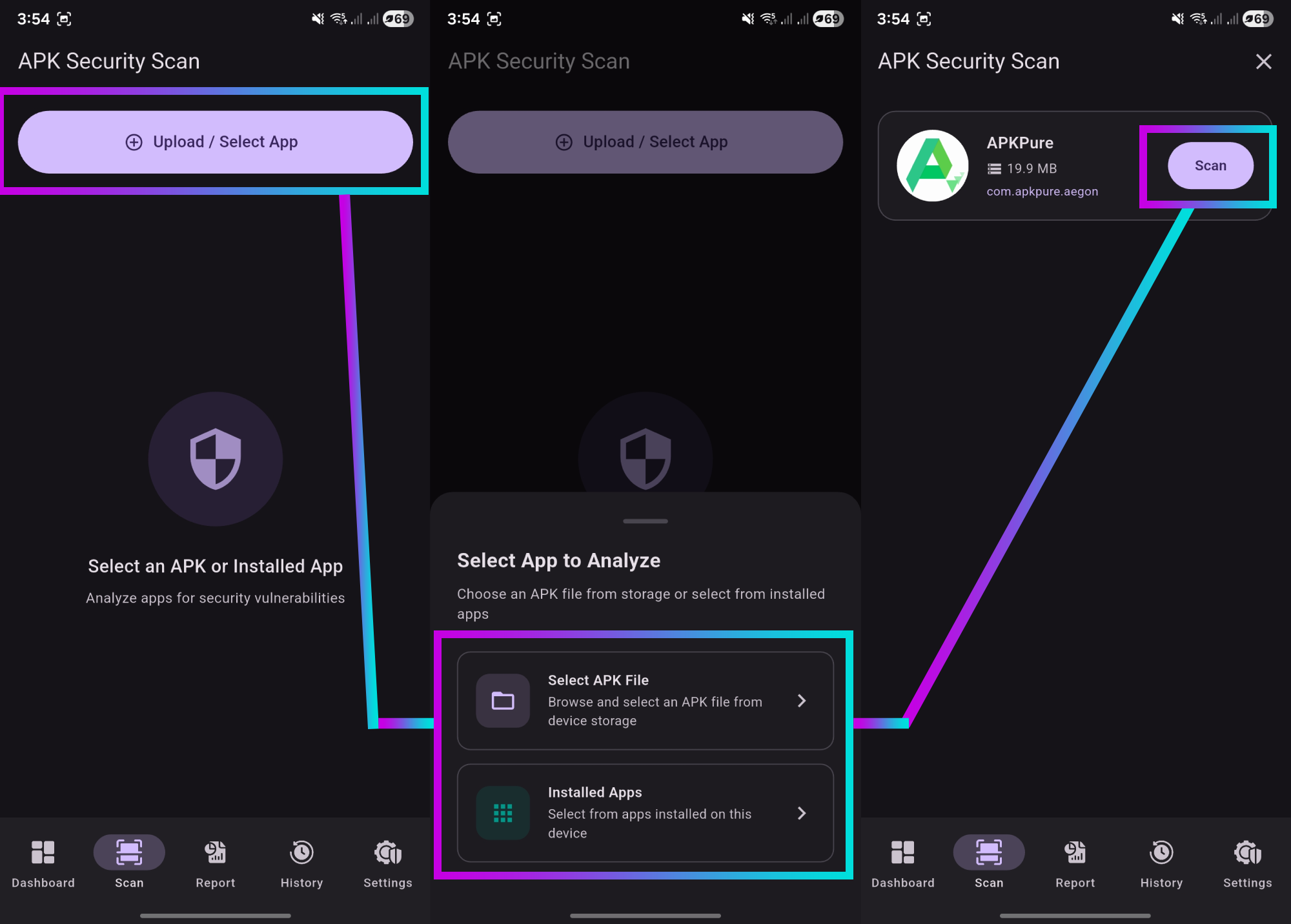
Select Your APK File
Launch MobInspect and tap the scan button on the home screen. You have three options to select an APK:
- Browse Files: Navigate to an APK or XAPK file stored on your device
- Installed Apps: Select from apps already installed on your phone
Pro Tip: You can scan any APK file regardless of where it
came from - app stores, direct downloads, or shared files.
02
AI-Powered Analysis
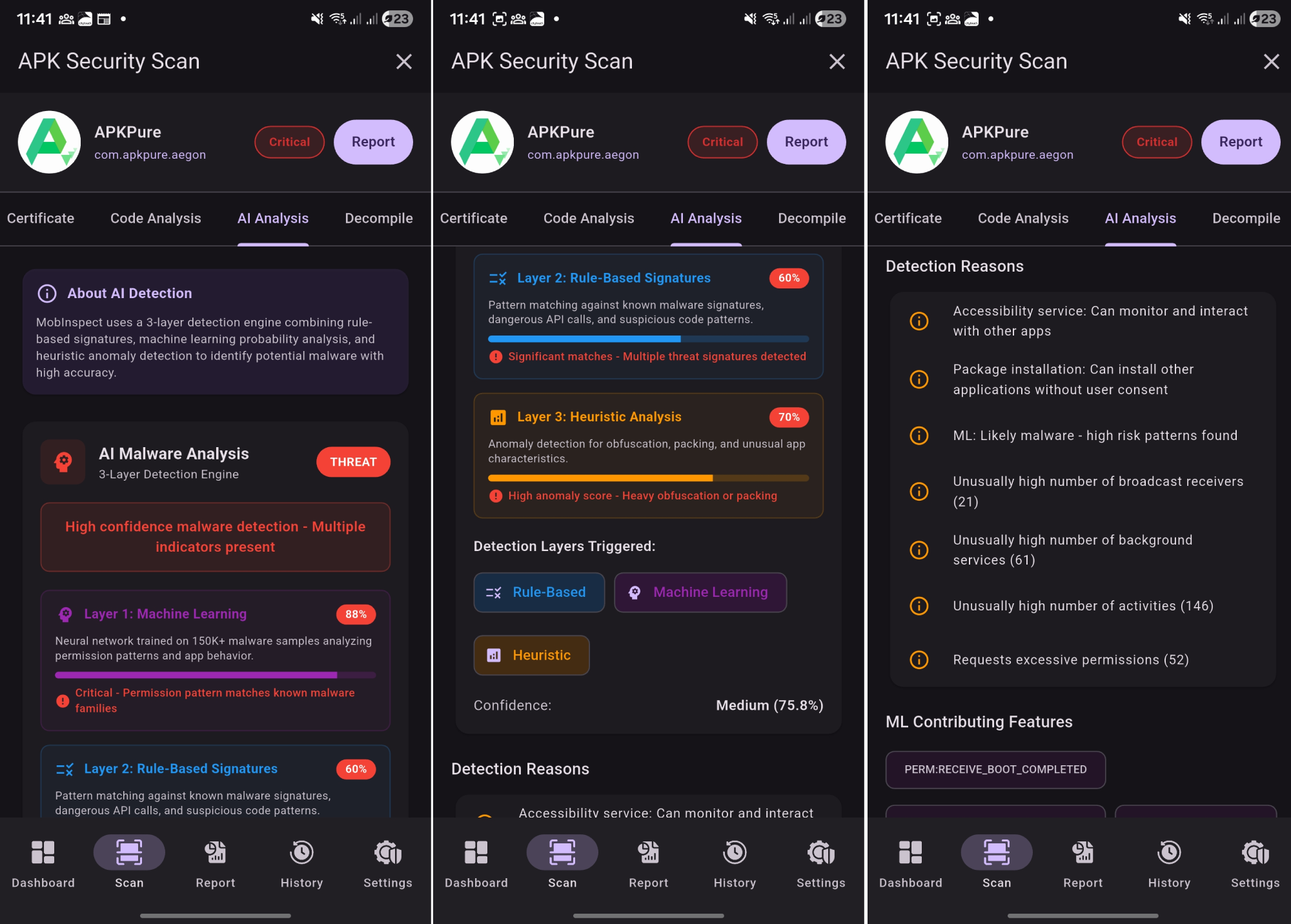
Once you select an APK, MobInspect's 3-layer AI detection engine begins analyzing:
- Machine Learning: Pattern recognition using neural networks
- Rule-Based: Known malware signature matching
- Heuristic: Behavioral analysis for unknown threats
Background Scanning: Minimize the app while scanning - you'll
get a notification when complete!
03
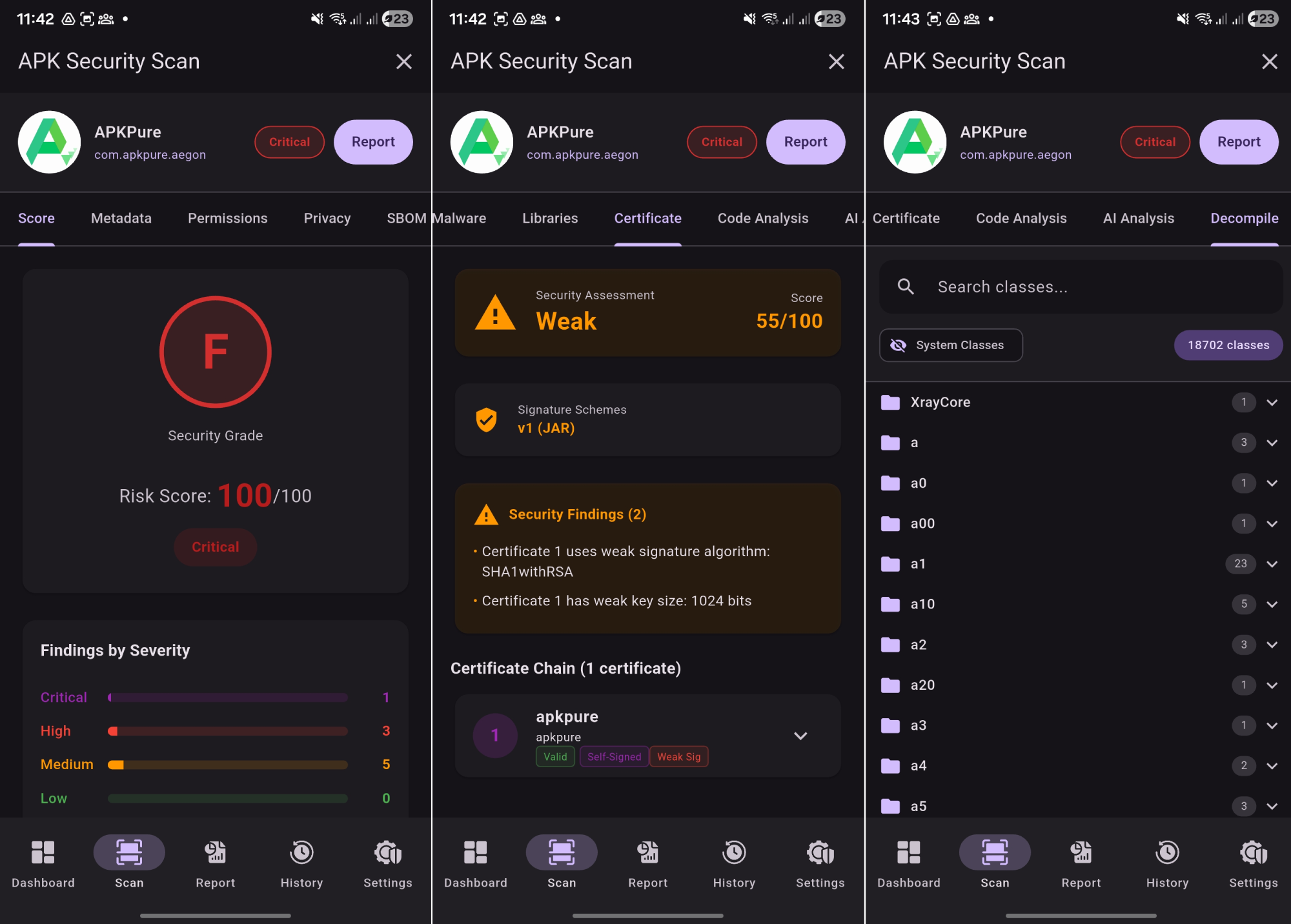
Review Security Results
After the scan completes, you'll see a comprehensive security report:
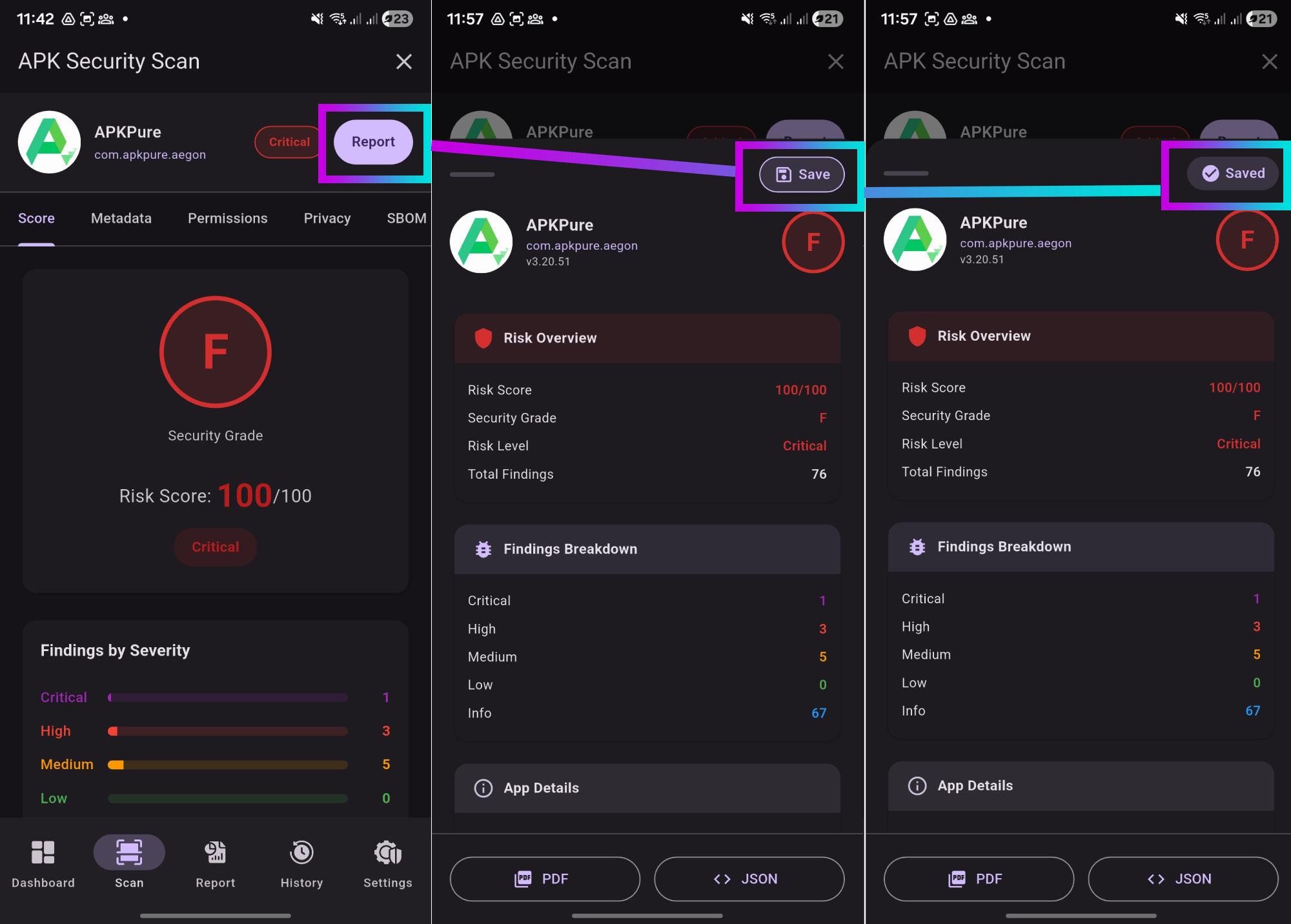
- Score Tab: Overall risk score (0-100) with color-coded indicator
- AI Analysis: Detailed scores from all three detection layers
- Permissions: Analysis of requested permissions and risks
- Malware: Detected threats and suspicious indicators
- Privacy: Privacy leaks and tracker detection
04
Save Your Report
After reviewing the results, save the report for future reference:
- Tap the "Save Report" button to store locally
- Reports are saved in the app's Reports section
- Access saved reports anytime from the bottom navigation
- Reports include all scan details and findings
Privacy First: All reports are stored locally - never
uploaded to any server.